
From Lyrics to a Listenable Demo: A Practical Walkthrough of Diffrhythm AI
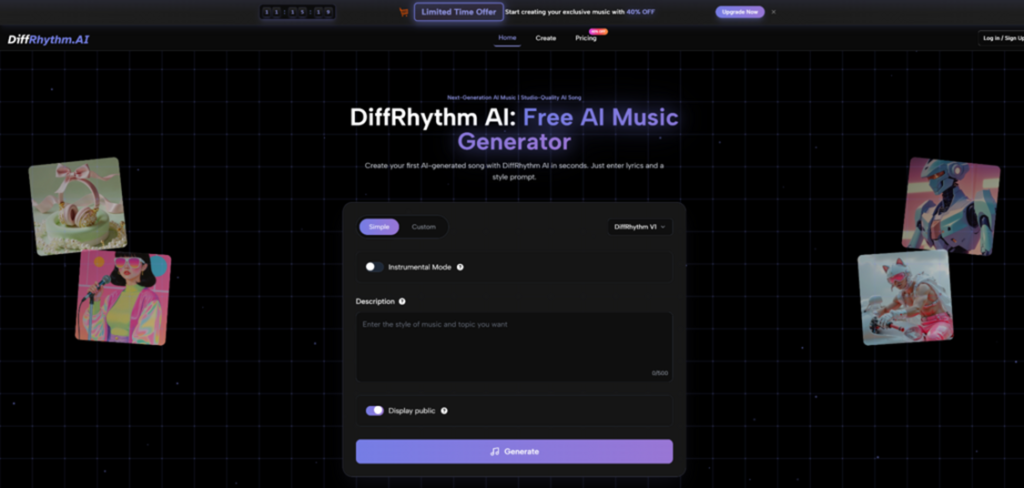
You know the feeling: you’ve got a hook in your head and a few lines on a notes app, but turning that spark into a full song usually means opening a DAW, hunting for the right chords, and then spending an hour just trying to make the vocal idea “sit” in the track. What pulled me into testing the workflow behind Diffrhythm AI is that it’s built around a very specific promise: you provide lyrics + a style prompt, and it attempts to generate a complete song with vocals and accompaniment together, rather than forcing you through a multi-step “instrumental first, vocals later” pipeline.
This article isn’t here to sell you a miracle button. Instead, it’s a grounded way to understand what this tool is trying to do, how you can use it without getting frustrated, and what kinds of results are realistic to expect.
The Core Idea: One Prompt, One Pass, One Song
Most AI music workflows feel like assembling furniture: one system makes a beat, another system adds a voice-like layer, then you stitch everything together and pray the timing works.
Diffrhythm takes a different route. The product describes itself as diffusion-based and non-autoregressive—in plain terms, it aims to generate quickly and to produce vocals + accompaniment in a single generation flow. That design choice matters because it’s trying to reduce the “alignment tax”: the annoying part where lyrics and melody drift out of sync, or the vocal phrasing ignores the groove.
What you actually input
At minimum, you’re usually working with:
- Lyrics (even rough ones).
- Style prompt (genre + vibe + instrumentation hints).
- Optional metadata like tempo, mood, voice type, and a title depending on the interface mode.
What you get back
A track that attempts to sound like a coherent song—not a loop—and typically includes:
- A vocal line that follows your lyrics.
- An instrumental bed that matches the style prompt.
A “First Song” Workflow That Doesn’t Waste Your Time
The fastest way to understand Diffrhythm AI isn’t to write your masterpiece first. It’s to run a controlled test.
Step 1 — Start with “Small Lyrics” to Validate the Voice
Write 4–8 lines. Keep the syllables clean and avoid tongue-twisters.
Why this matters
AI vocals often stumble on:
- Dense consonants
- Long compound words
- Rapid-fire syllable patterns
Step 2 — Use a Style Prompt That Describes Instruments, Not Just Genre
Instead of writing only “pop,” try a prompt like:
- “modern pop, bright synths, tight drums, clean vocal, uplifting chorus”
- “lo-fi chill, warm Rhodes, vinyl texture, soft female vocal, relaxed tempo”
A good mental model is: you’re directing an arranger, not labeling a playlist.
Step 3 — Generate Twice on Purpose
Not because you did something wrong—because variance is normal. Two generations with the same intent can produce different melodic choices, vocal tone, and arrangement density.
A practical rule
If generation A has a great vocal but weak backing, and generation B has a great backing but messy vocals, you’ve learned something useful: your prompt might be too broad, or your lyrics might need clearer phrasing.
Where It Feels Different From “Typical” AI Music Tools
Here’s a clean comparison that helps set expectations without naming specific competitors.
| Comparison Item | Diffrhythm AI Music | Typical Multi-Step Workflow | Loop/Beat-First Generators |
| Primary input | Lyrics + style prompt | Separate prompts for beat, then vocals | Style + mood, often no lyrics |
| Output type | Full song attempt (vocals + accompaniment) | Often stitched layers | Strong loops, weaker “song structure” |
| Alignment focus | Tries to bind lyrics and music together | Alignment depends on your editing | Often not designed for lyric alignment |
| Iteration style | Regenerate to explore variations | Many moving parts to adjust | Quick loop swaps, limited narrative arc |
| Best use case | Demoing a lyrical concept fast | Production-ready craft with control | Background beds and short-form audio |
This doesn’t mean Diffrhythm AI always “wins.” It means it’s optimized for a different problem: getting from words → song-shaped audio with fewer steps.
The “Before vs After” Bridge: What Changes When You Use It
Before
- Your lyrics live in isolation.
- Melody and phrasing exist only in your head.
- Turning it into audio requires skill and time.
After
- You can hear a concrete version of your idea.
- You can evaluate pacing, syllable stress, chorus lift, and mood.
- You can decide whether the concept deserves deeper production.
A useful way to view it is not as a replacement for musicianship, but as a sketch engine—like a camera for songwriting ideas.
A Simple Prompt Pattern That Tends to Behave
A template you can reuse
- Genre + era reference (optional)
- Instrumentation
- Vocal character
- Energy / mood
- Tempo hint (optional)
Example:
“indie pop, punchy drums, chiming guitars, intimate male vocal, bittersweet mood, mid-tempo”
This kind of prompt reduces ambiguity. The less the model has to “guess,” the more stable your results tend to feel.
Limitations That Are Worth Saying Out Loud
If you go in expecting perfect radio-ready tracks, you’ll be disappointed. If you go in expecting a fast idea-to-audio bridge, it’s easier to appreciate.
Common friction points
- Pronunciation and syllable stress: some lines may sound slightly off or overly “smoothed.”
- Prompt sensitivity: tiny prompt changes can shift genre or instrumentation more than you intended.
- Structure drift: a verse might feel too short, or the chorus lift might not land.
- You may need multiple generations: sometimes the first output is “close,” and the third is the one you keep.
H5-level detail: How to reduce misses
H6: Keep lyrics singable
- Prefer shorter lines.
- Use punctuation to imply phrasing.
- Avoid overly complex proper nouns.
Credibility Check: The Larger Context Around AI Music
It’s also reasonable to ask: “If I publish something made with AI music tools, what about rights, training data, and labeling expectations?”
This is a rapidly evolving space, and a sober way to stay informed is to read neutral policy discussions—like the U.S. Copyright Office’s ongoing public work on generative AI and copyright considerations: https://www.copyright.gov/ai/
That doesn’t give you a one-line answer for every scenario, but it helps you understand why licensing and attribution are being debated across the industry.
A Balanced Take: Who This Fits Best
You’ll likely enjoy Diffrhythm AI if you are…
- A lyric writer who wants to hear drafts quickly.
- A creator who needs song-shaped audio for concept testing.
- Someone exploring songwriting without a deep production background.
You may find it limiting if you need…
- Surgical control over arrangement details.
- Perfect diction and vocal expressiveness every time.
- Fully consistent results from a single generation.
Closing Thought
The most useful way to approach Diffrhythm AI is as a fast translator between text and sound. It won’t replace the artistry of production, but it can shorten the distance between “I wrote something” and “I can actually hear what it could become.” If you treat it like a sketchpad—and accept that you’ll regenerate a few times to land the version you want—it can be a surprisingly efficient way to move from idea to reality.